
Chapter 48 · The SAABI assistant · 2 min read
Figures, tables, charts and reports
On this page
The assistant does not answer only in sentences. Depending on what you ask for, it will draw a table, plot a chart, or run one of SAABI's reports and show the result inside the conversation.
Figures in prose
Ask a broad question about performance and you get a short paragraph with the numbers in bold.
Example
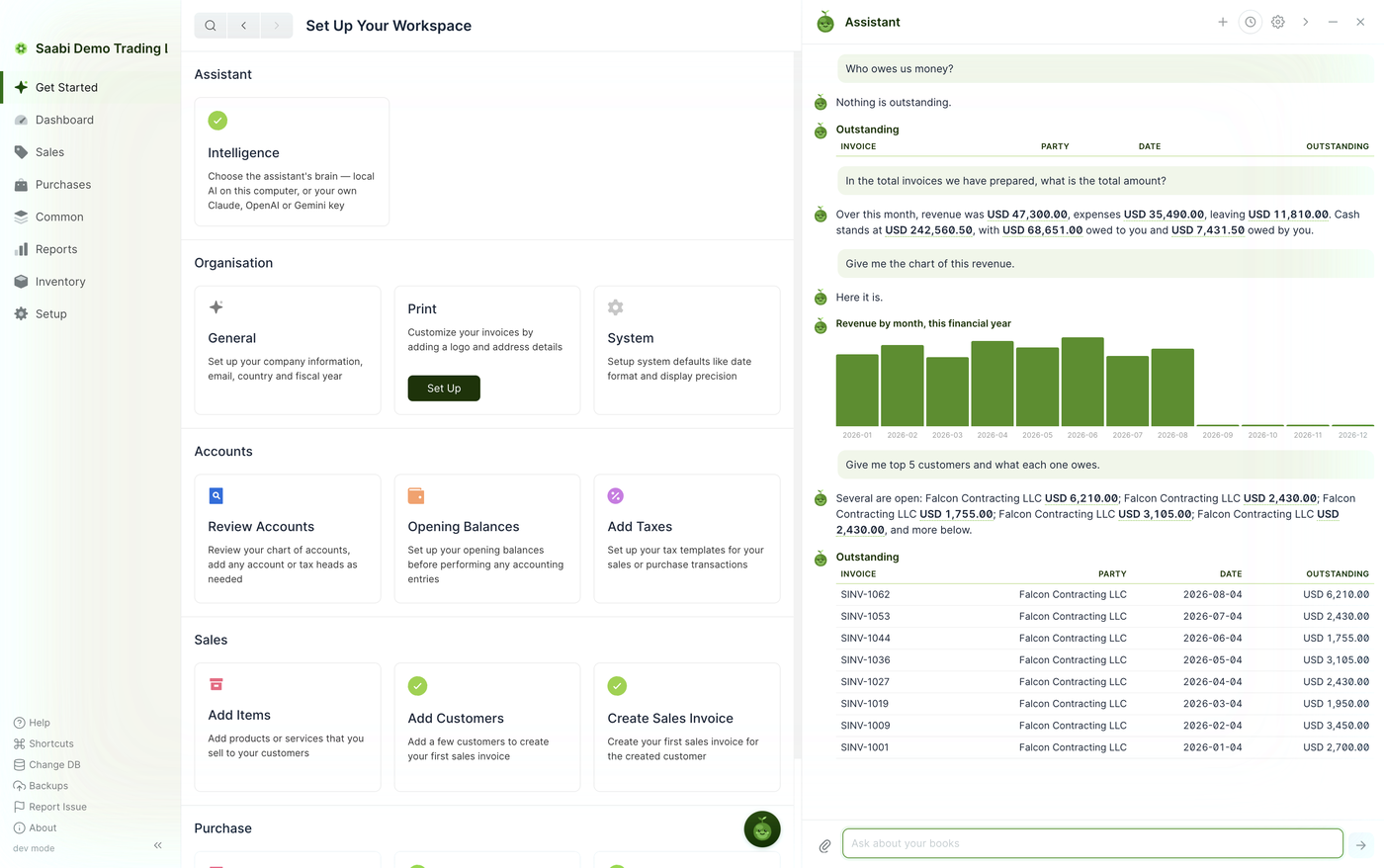
In the total invoices we have prepared, what is the total amount? Over this month, revenue was USD 47,300.00, expenses USD 35,498.00, leaving USD 11,810.00. Cash stands at USD 242,568.50, with USD 68,651.00 owed to you and USD 7,431.50 owed by you.
Every figure in that answer is read from your own company file at the moment you ask.
Tables
When the answer is a list — invoices, customers, balances — the assistant lays it out as a table with the same column names you would see in the corresponding list view.
Charts
Ask for a chart and you get one, drawn from the same data.
Example
Give me the chart of this revenue.

Charts follow the period you asked about. If you do not name one, the assistant uses the current financial year.
Running a report
You can ask for any of SAABI's financial reports by name and the assistant will run it and show the result in the panel, without you leaving the page you were on.
Example
Open the profit and loss report
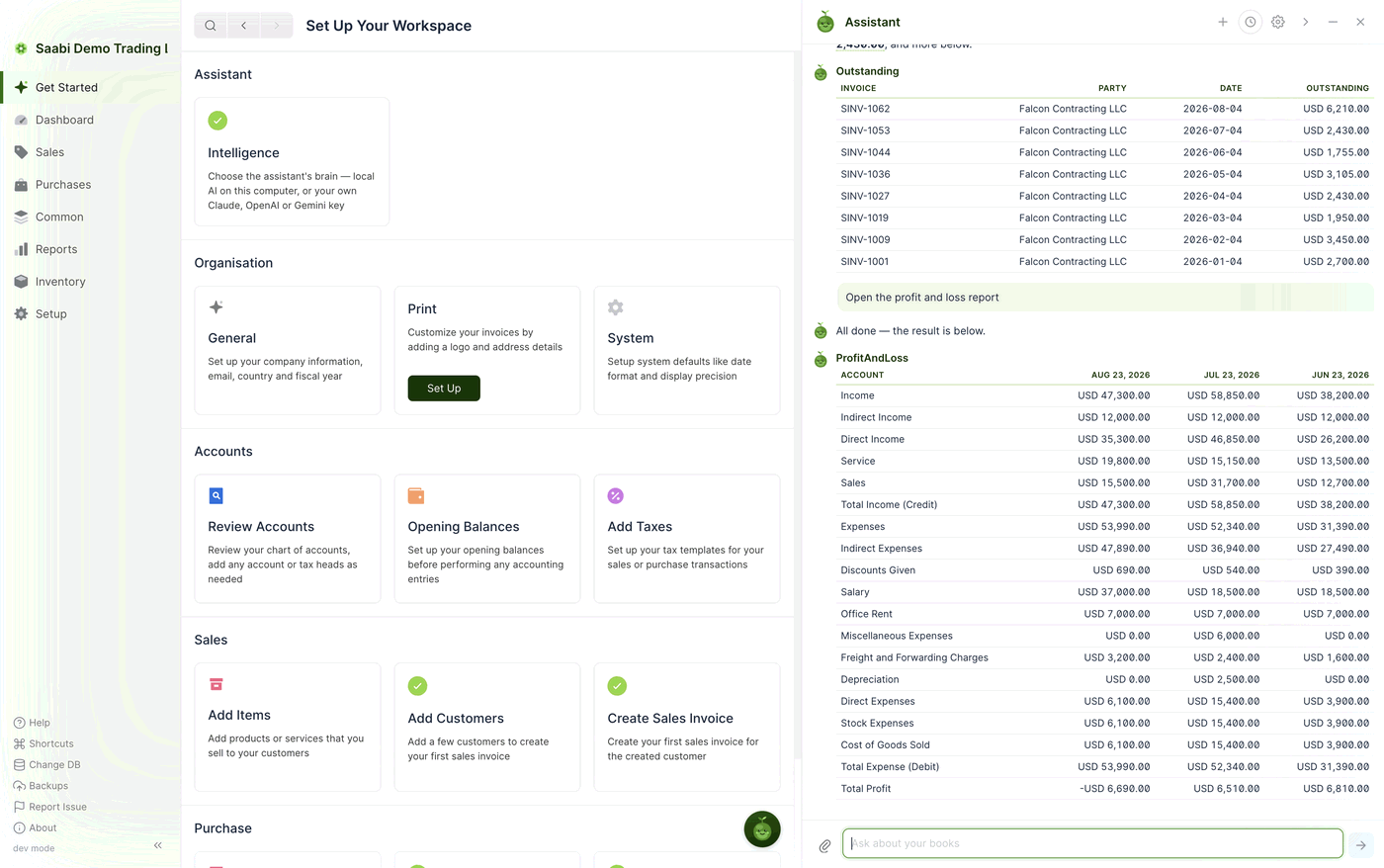
This is useful when you want one number out of a report rather than the whole thing — ask the question, read the row, carry on.
Asking for a PDF
The assistant can prepare a document for you to save. Asking it to export the profit and loss as a PDF, or to print a particular invoice, produces a file you can keep or send. When the assistant lists documents it reminds you of the shorthand: print <number> as pdf.
Note
Producing a PDF is a read-only action — it takes a copy of what is already in your books. The assistant still will not save, submit or pay anything for you.
A caution about interpretation
The assistant reports what is in your ledger. It does not know about anything you have not recorded, and it cannot tell you whether an entry was posted to the right account. Treat its answers the way you would treat a quick summary from a colleague: useful, fast, and worth checking against the underlying report before you act on it.
Important
The assistant cannot give tax advice, and SAABI is not tax-compliance software. Use the figures as a starting point and confirm anything that matters with your accountant.
Saabi Desktop User Manual 1.0 · covers Desktop 1.0.0 · Something wrong or missing? Tell us