
Chapter 19 · Sales · 3 min read
Coupon Codes
On this page
A coupon code is a word or short string a customer quotes to claim a discount — SPRING25, say, or WELCOME10. The coupon itself holds no discount. It points at a pricing rule, and the pricing rule decides what the customer actually gets. That split is what lets you run the same offer under several codes, put an end date or a usage cap on a code without touching the offer behind it, and see how many times each code was used.
Before you start
Coupon codes need three settings at Setup > Settings > General, in the Features section: Enable Discount Accounting, Enable Pricing Rule and Enable Coupon Code. A coupon has nothing to apply without a pricing rule behind it, so set the rule up first — see Chapter 18 — and tick Is Coupon Code Based on it, so it applies only when the code is quoted rather than to every order that matches.
The Coupon Code list
Open Sales > Coupon Code. Each row shows the code, its name, the pricing rule it points at, its usage cap and how many times it has been used.
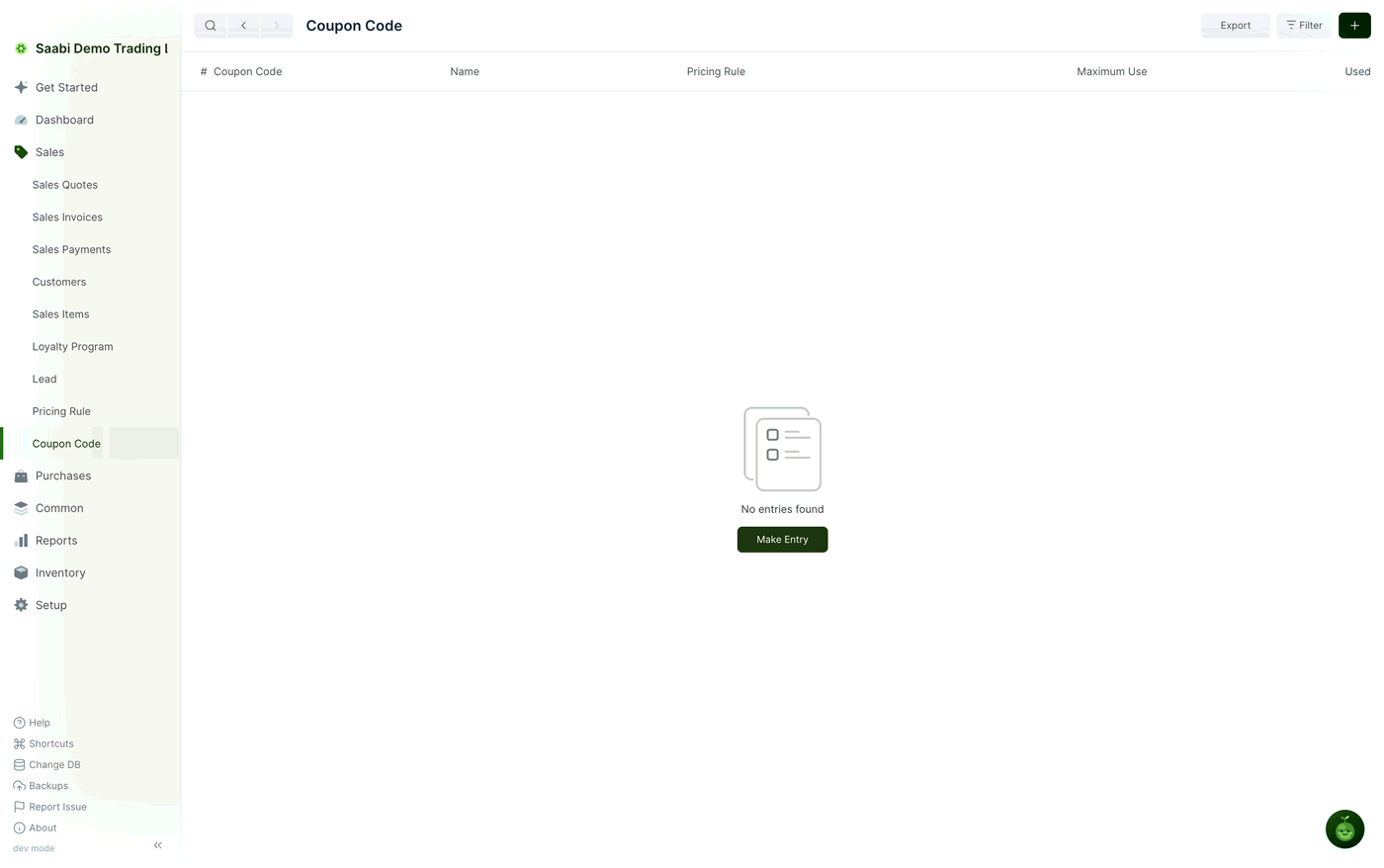
Creating a coupon code
- Go to
Sales > Coupon Codeand click +. - Enter the Coupon Code — the string the customer quotes.
- Enter a Name that describes the offer, so the list reads clearly.
- Leave Is Enabled ticked.
- Choose the Pricing Rule that carries the discount.
- Set the amount limits and the validity dates if the offer needs them.
- Click Save.
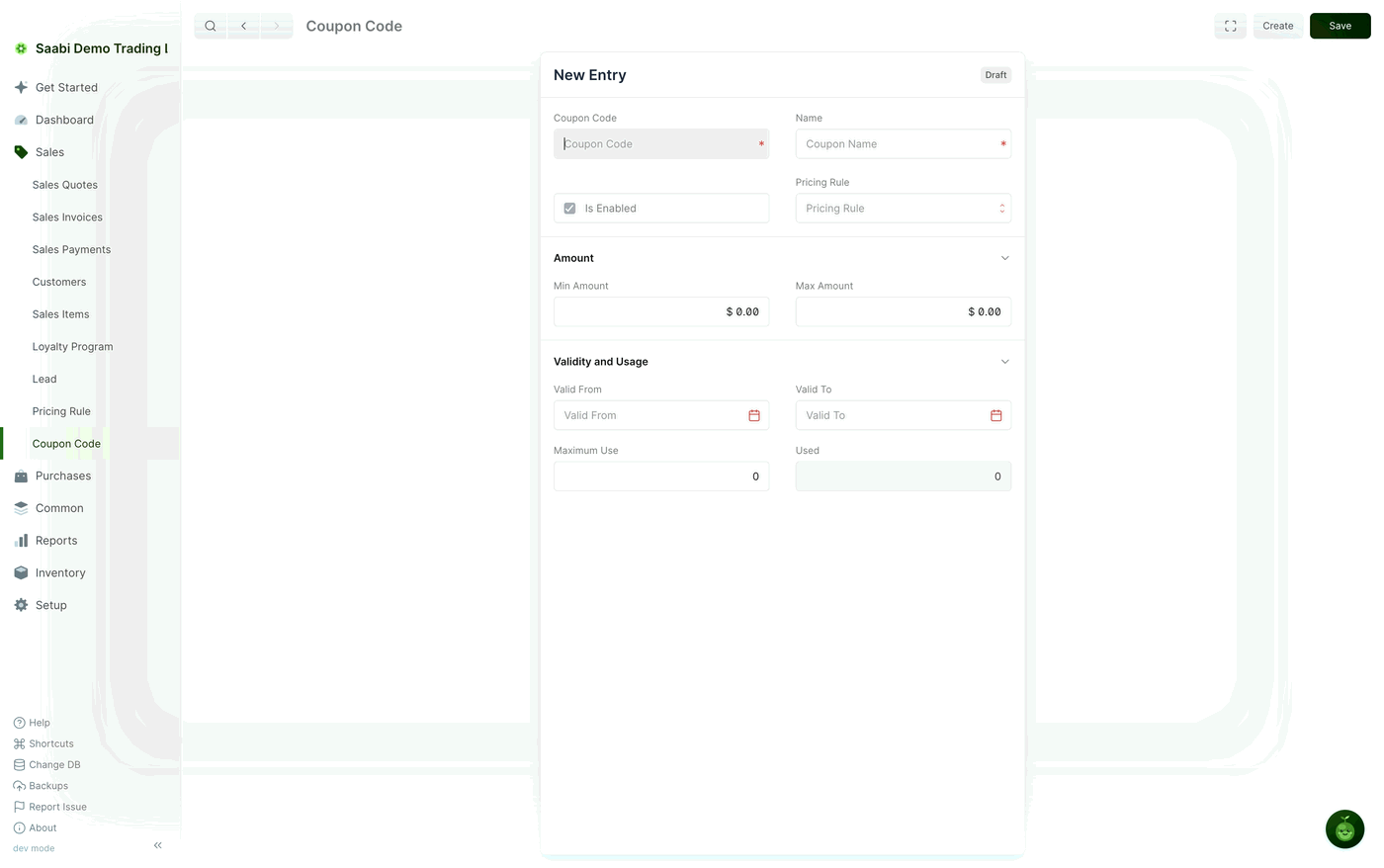
Coupon code fields
- Coupon Code — the string the customer quotes. Keep it short and unambiguous, and avoid characters that are easily misread.
- Name — a description of the offer, used to identify the coupon in lists.
- Is Enabled — tick to make the coupon usable, clear to withdraw it without deleting it or disturbing its history.
- Pricing Rule — the rule that decides what discount the coupon gives. This is the field that gives the coupon its effect.
Under Amount:
- Min Amount — the smallest order value the coupon may be used on. Set it to stop a code aimed at large orders being spent on a small one.
- Max Amount — the largest order value the coupon applies to.
Under Validity and Usage:
- Valid From — the date the coupon starts working.
- Valid To — the date it stops.
- Maximum Use — how many times the coupon may be used in total. Leave it at
0for no cap. - Used — how many times it has been used so far. SAABI maintains this figure as invoices are submitted; you do not edit it.
Applying a coupon on a sale
When you raise the invoice, select the coupon the customer has quoted. SAABI checks that the coupon is enabled, that today falls within its validity dates, that the order value sits between the minimum and maximum amounts, and that the usage cap has not been reached. If all of that holds, the pricing rule behind the coupon is applied and the discount appears on the invoice. The rule that was applied can then be read back from the invoice, so you can see later why a particular sale was discounted.
If any check fails, the discount is not applied. The usual reasons are an expired Valid To date, an order below Min Amount, or a coupon that has reached its Maximum Use.
Note
Coupon codes cannot be switched off again once the feature has been enabled in Settings. To retire an individual code, clear its Is Enabled box or let its Valid To date pass; either leaves the code and its usage count on file.
Tip
Give each campaign its own code, even when several campaigns share one pricing rule. The Used count then tells you which campaign the redemptions actually came from.
Saabi Desktop User Manual 1.0 · covers Desktop 1.0.0 · Something wrong or missing? Tell us