
Chapter 25 · Shared records · 3 min read
Journal Entries
On this page
A journal entry records a transaction that is neither a sale nor a purchase — moving funds from a bank account to the cash till, writing off a bad debt, posting depreciation, or entering the opening balances of a new company file. Where an invoice works out the accounts for you, a journal entry lets you name the accounts yourself and set the amounts on each side. It is the entry to reach for whenever money has moved but no invoice describes it.
The journal entry list
Go to Common > Journal Entry. The list shows every journal entry in the company file.
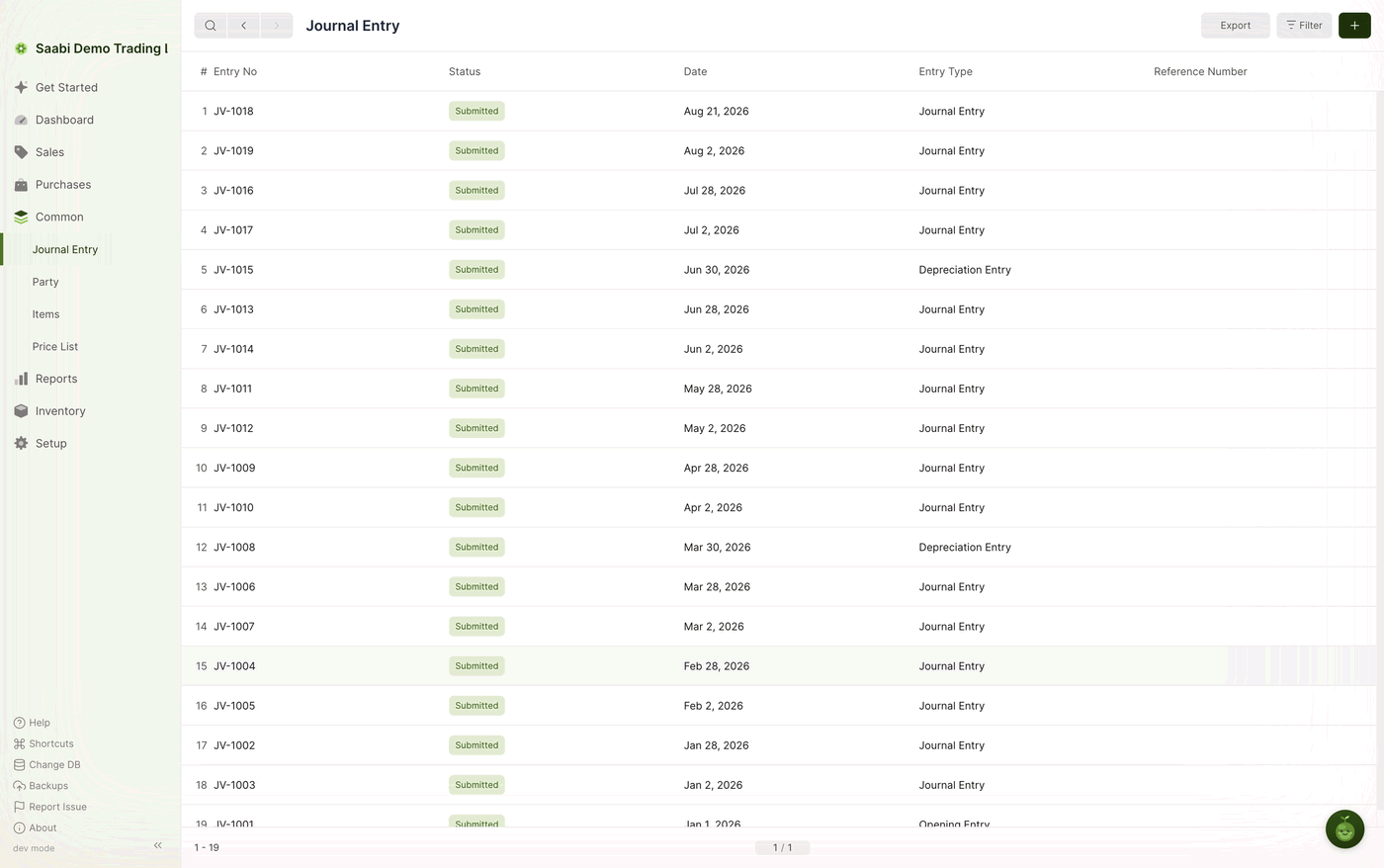
The columns are Entry No, Status, Date, Entry Type and Reference Number. Filter on Entry Type to pull out one kind of entry, such as every depreciation posting for the year.
Creating a journal entry
- On the Journal Entry list, click the + button at the top right.
- Set the Entry Type to describe what the entry is for.
- Check the Date. SAABI assigns the Entry No from the
JV-series. - In the Account Entries grid, click Add Row for each account the transaction touches, select the Account, and enter the amount in either the Debit or the Credit column.
- Write a User Remark so the entry explains itself later.
- Click Save, then Submit.
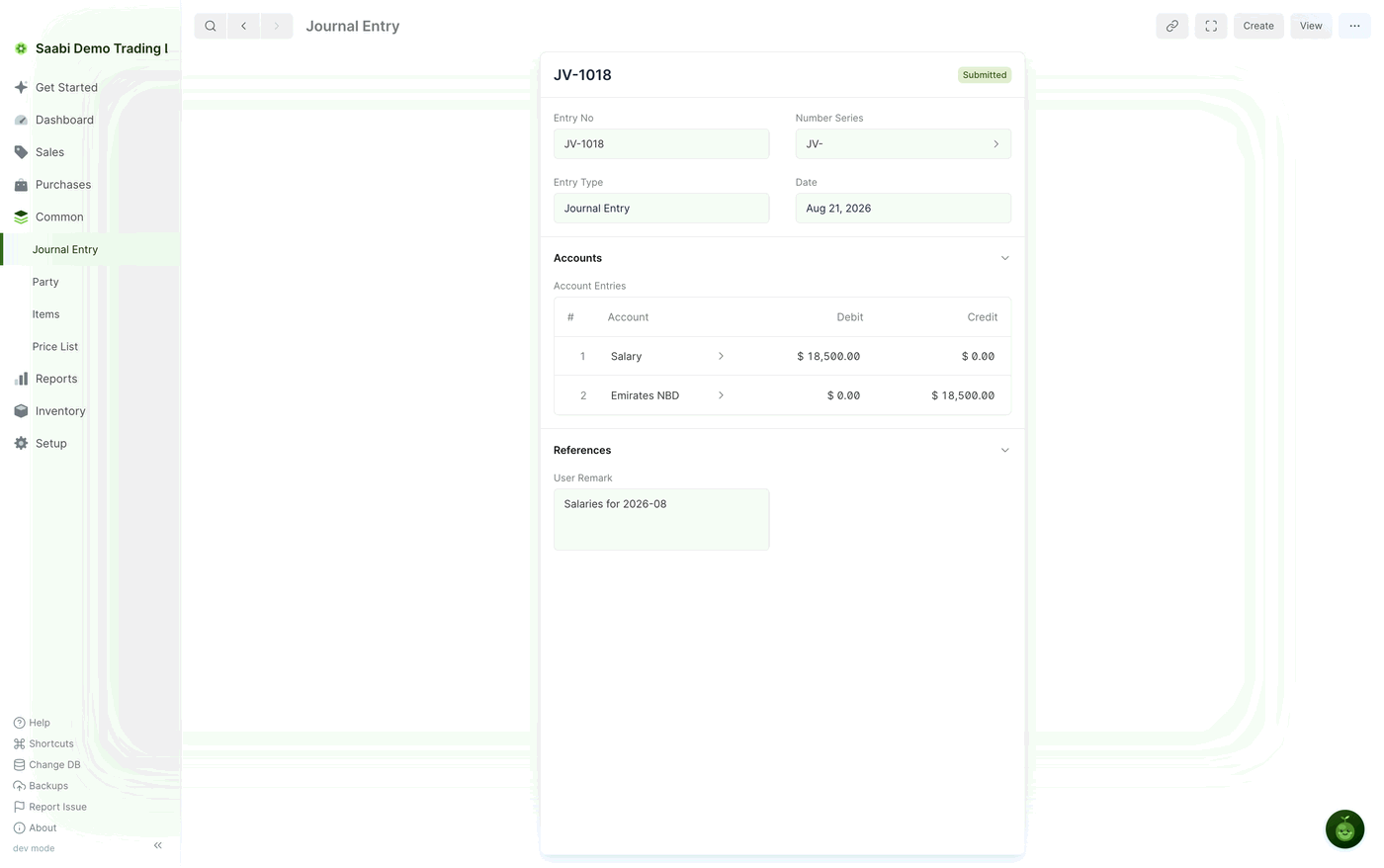
On submitting, SAABI posts the entry to the ledger and updates the balance of every account named in the grid. A submitted journal entry cannot be edited. To check what it did, open Reports > General Ledger and filter on the accounts involved.
Entry types
Entry Type describes the transaction. It does not change how the debits and credits are posted, but it keeps the list readable and lets you filter and report by kind:
- Journal Entry — the general-purpose type, for anything the other types do not cover.
- Bank Entry — a movement through a bank account.
- Cash Entry — a movement through the cash till.
- Credit Card Entry — a charge or payment on a company card.
- Depreciation Entry — the periodic write-down of a fixed asset.
- Excise Entry — duty accounted for separately from ordinary tax.
- Write Off Entry — an amount you have decided not to recover.
- Opening Entry — the balances carried into SAABI when you started using it.
The Account Entries grid
Each row names one account and one amount:
- Account — the account being debited or credited, chosen from the chart of accounts.
- Debit — the amount going into the account.
- Credit — the amount coming out of it.
Fill in one column per row and leave the other at zero. A transaction needs at least two rows, and it may need more: one credit can be split across several debits.
Important
The total of the Debit column must equal the total of the Credit column. SAABI will not submit an entry whose two sides disagree, because such an entry would leave the books unbalanced.
The User Remark
User Remark, in the References section, is a free-text note explaining what the entry is for — Salaries for 2026-08, Depreciation Q2, Transfer to petty cash. Nothing depends on it, but a journal entry read a year later is only as clear as the remark on it. Write one on every entry.
Two worked examples
Recording an expense paid directly. You spend $5,000 travelling to a client site and pay it straight from the bank. Add two rows:
| Account | Debit | Credit |
|---|---|---|
| Travel Expenses | $5,000.00 | |
| Emirates NBD | $5,000.00 |
The expense account rises and the bank balance falls by the same amount.
Recording a prepayment. A customer pays $5,000 for work you have not yet delivered. The money is in the bank, but it is not income yet — it is a liability until you deliver. Add two rows:
| Account | Debit | Credit |
|---|---|---|
| Emirates NBD | $5,000.00 | |
| Prepayments | $5,000.00 |
Create the Prepayments liability account in the chart of accounts first if you do not already have one. When the work is delivered, a second journal entry moves the amount out of Prepayments and into income.
Saabi Desktop User Manual 1.0 · covers Desktop 1.0.0 · Something wrong or missing? Tell us