
Chapter 31 · Shared records · 2 min read
Multi-Currency Invoicing
On this page
SAABI can raise and print an invoice in your customer's own currency while keeping your books in yours. You set the currency once, on the party record; every invoice for that party is then written in that currency, converted at an exchange rate you confirm, and posted to the ledger in the company currency. The same applies on the purchase side, so a supplier who bills you in another currency can be recorded as they billed you.
Company currency and party currency
Your company currency is set when the company file is created, and is shown at Setup > Settings > System under Number Display. It is the currency your accounts, your reports and your ledger are kept in, and it does not change from one invoice to the next.
A party currency is set on the individual customer or supplier. Multi-currency invoicing happens only when the two differ: a party whose currency matches the company currency is invoiced in the ordinary way.
Setting a party's currency
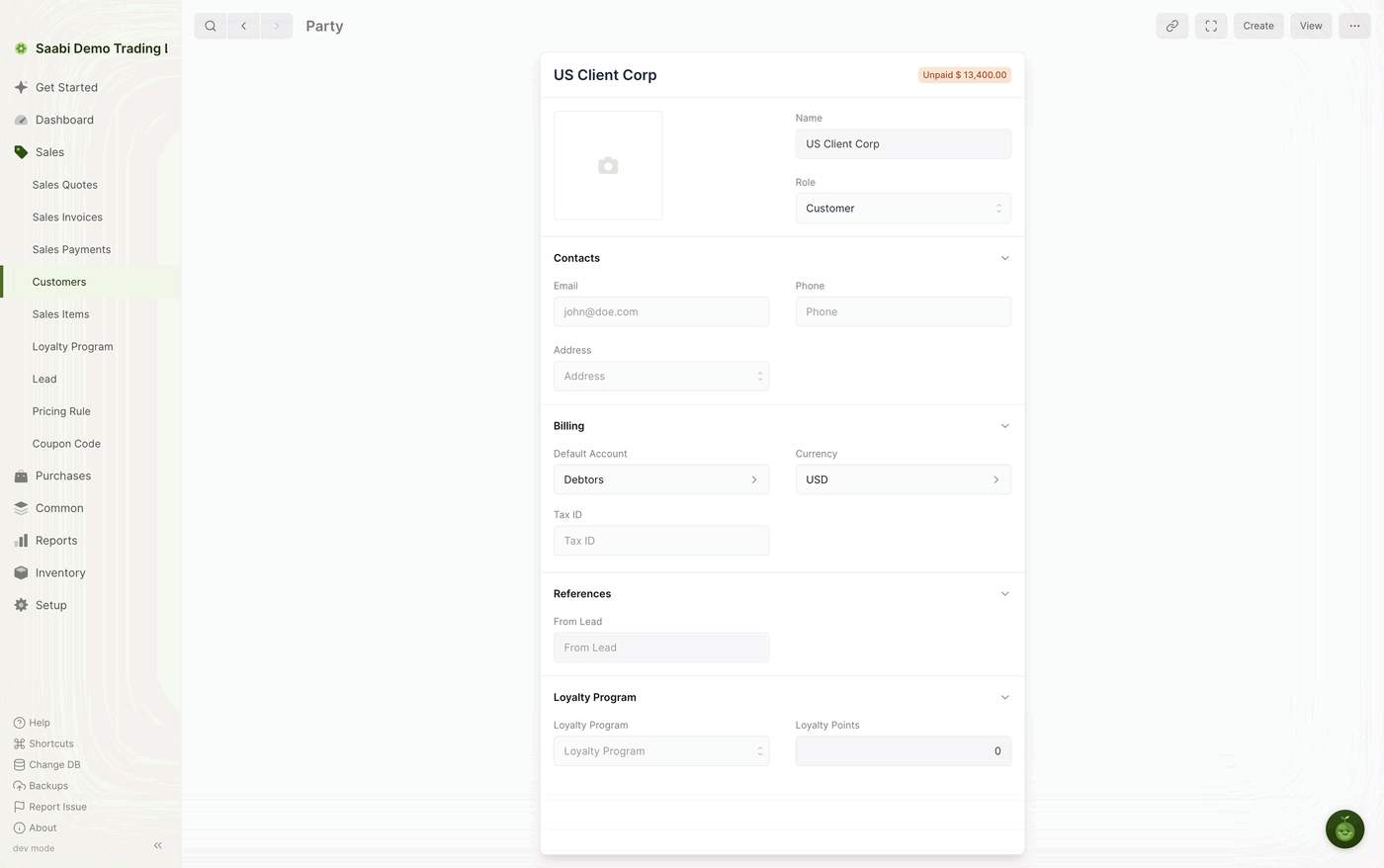
- Open the party —
Sales > Customersfor a customer,Purchases > Suppliersfor a supplier. - Open the Billing section.
- Set Currency to the currency this party trades in.
- Click Save.
Note
Set the currency before you raise the first invoice for the party. Invoices already recorded keep the currency and the rate they were submitted with.
Raising the invoice
- Create a new sales invoice, or a purchase invoice for a supplier.
- Select the party. SAABI reads the currency from the party record.
- If that currency differs from the company currency, the exchange rate appears with the party fields. Check it and change it to the rate that applies to this transaction.
- Add the item rows and save the invoice as usual.
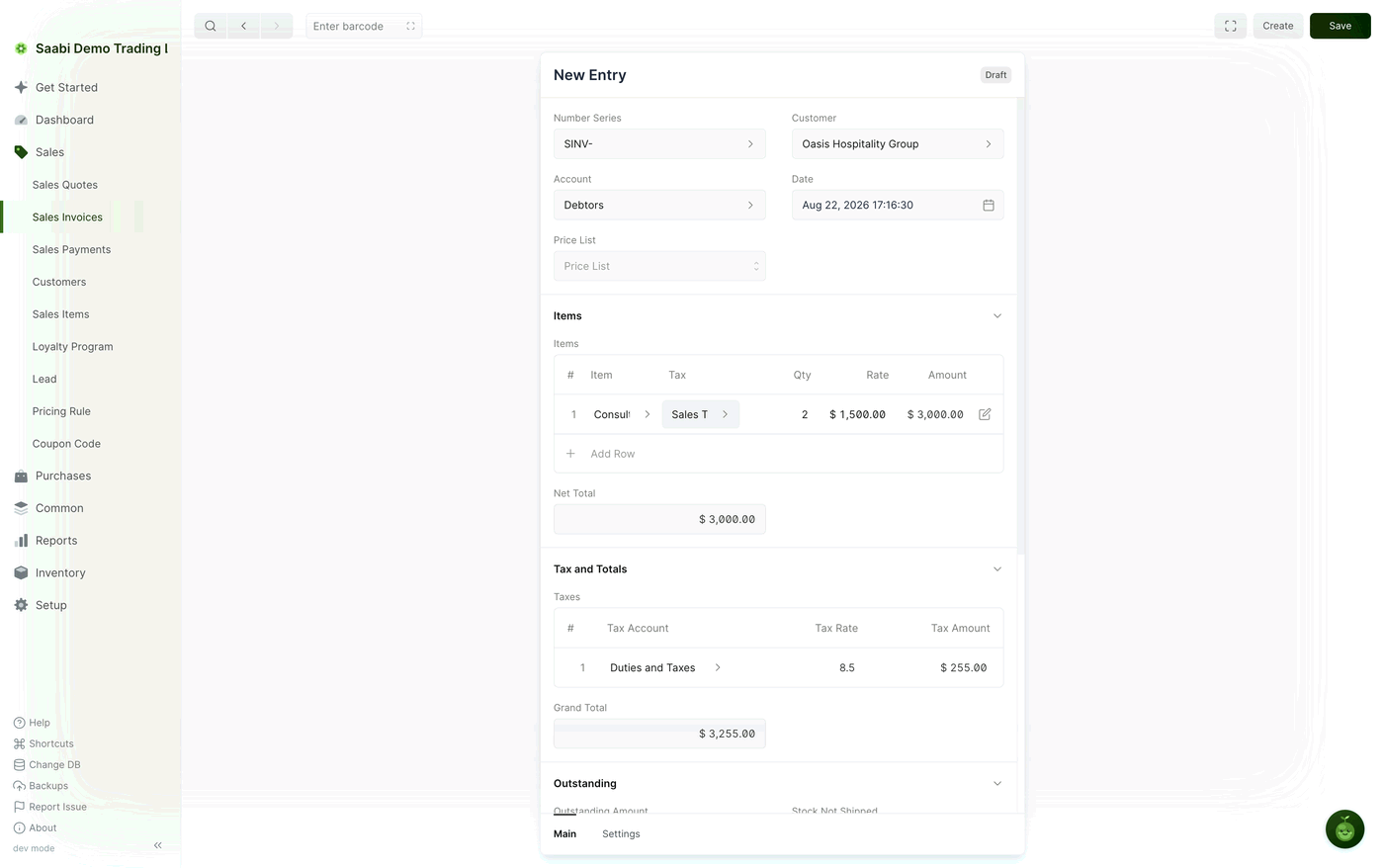
Rates, amounts and totals on the form are in the party's currency, which is what makes the invoice readable to the party who receives it.
Base totals and party-currency totals
Two sets of totals exist on a multi-currency invoice:
- The party-currency totals — the rates, Net Total and Grand Total on the form, in the party's currency. These are what the party sees.
- The base totals — Base Grand Total and the outstanding amount, in your company currency. These are what your accounts, your reports and the invoice lists show.
The exchange rate is what relates them:
Note
Company currency amount = party currency amount x exchange rate
Ledger entries are always created in the company currency, using the rate set when the invoice was submitted. That rate is fixed at submission, so a later movement in the market does not rewrite an entry you have already posted.
Paying a multi-currency invoice
Payments are recorded in the company currency. SAABI uses the rate set when the invoice was submitted to work out how much to apply, and updates the invoice's outstanding amount accordingly. Any small difference left by rounding is balanced through the round-off account set at Setup > Settings > General.
Printing
Print the submitted invoice as usual. The printed document is produced in the party's currency, so what you send matches what you agreed.
Saabi Desktop User Manual 1.0 · covers Desktop 1.0.0 · Something wrong or missing? Tell us