
Chapter 17 · Sales · 3 min read
Loyalty Program
On this page
A loyalty program rewards customers with points for what they spend, and lets them put those points towards a later purchase. You define one program — how much a customer must spend to earn a point, what a point is worth when it is spent, and which account carries the cost — and then assign it to the customers you want on it. From then on SAABI awards points as invoices are submitted and keeps each customer's balance on their record.
The Loyalty Program list
Open Sales > Loyalty Program. Each row shows the program's name, its status and the dates it runs between.
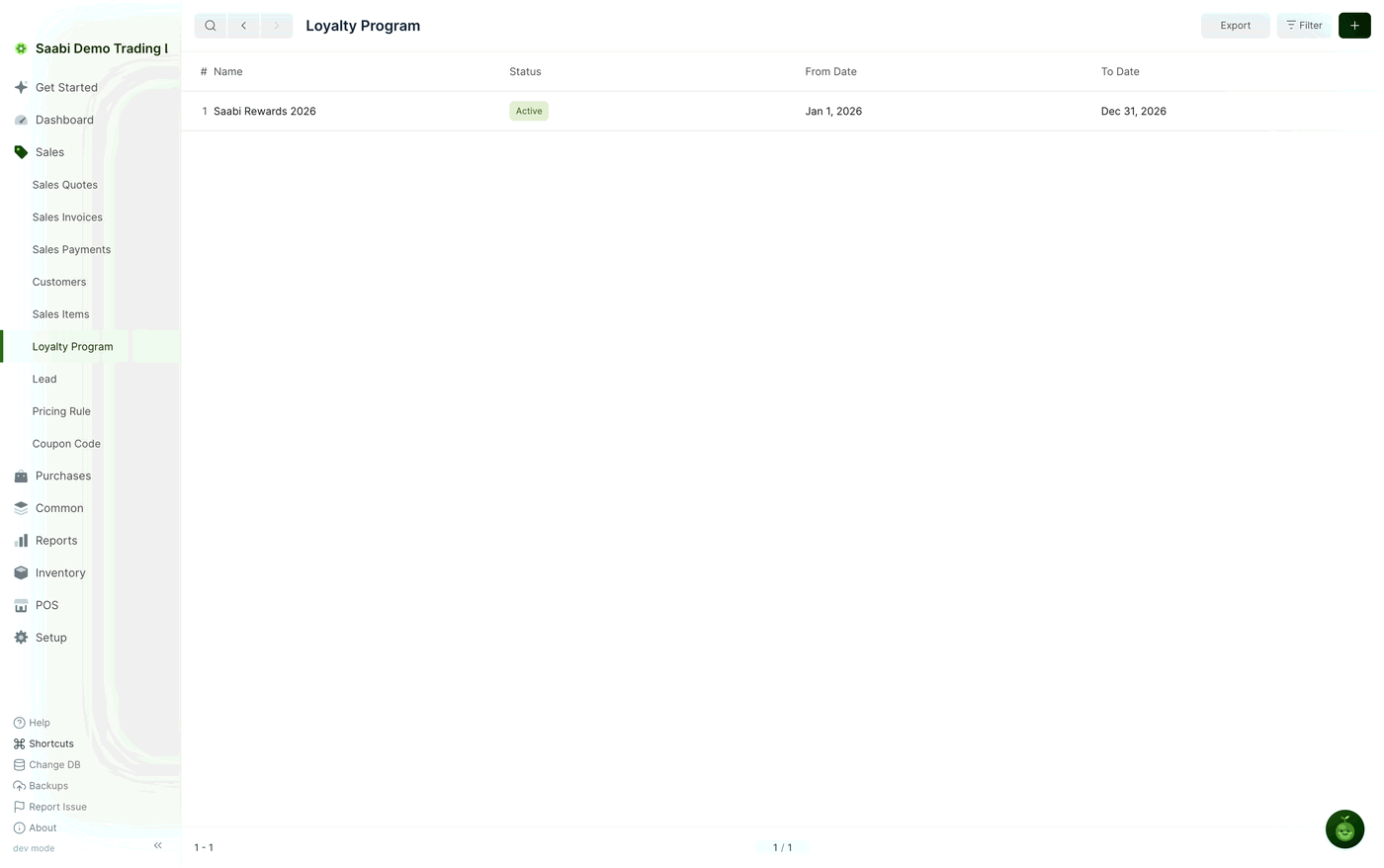
Most businesses need only one program. Several are useful when you run separate schemes for, say, trade and retail customers.
Tip
Loyalty programs are switched on by Enable Loyalty Program at Setup > Settings > General, in the Features section. If Loyalty Program is not in your sidebar, turn it on there.
Creating a loyalty program
- Go to
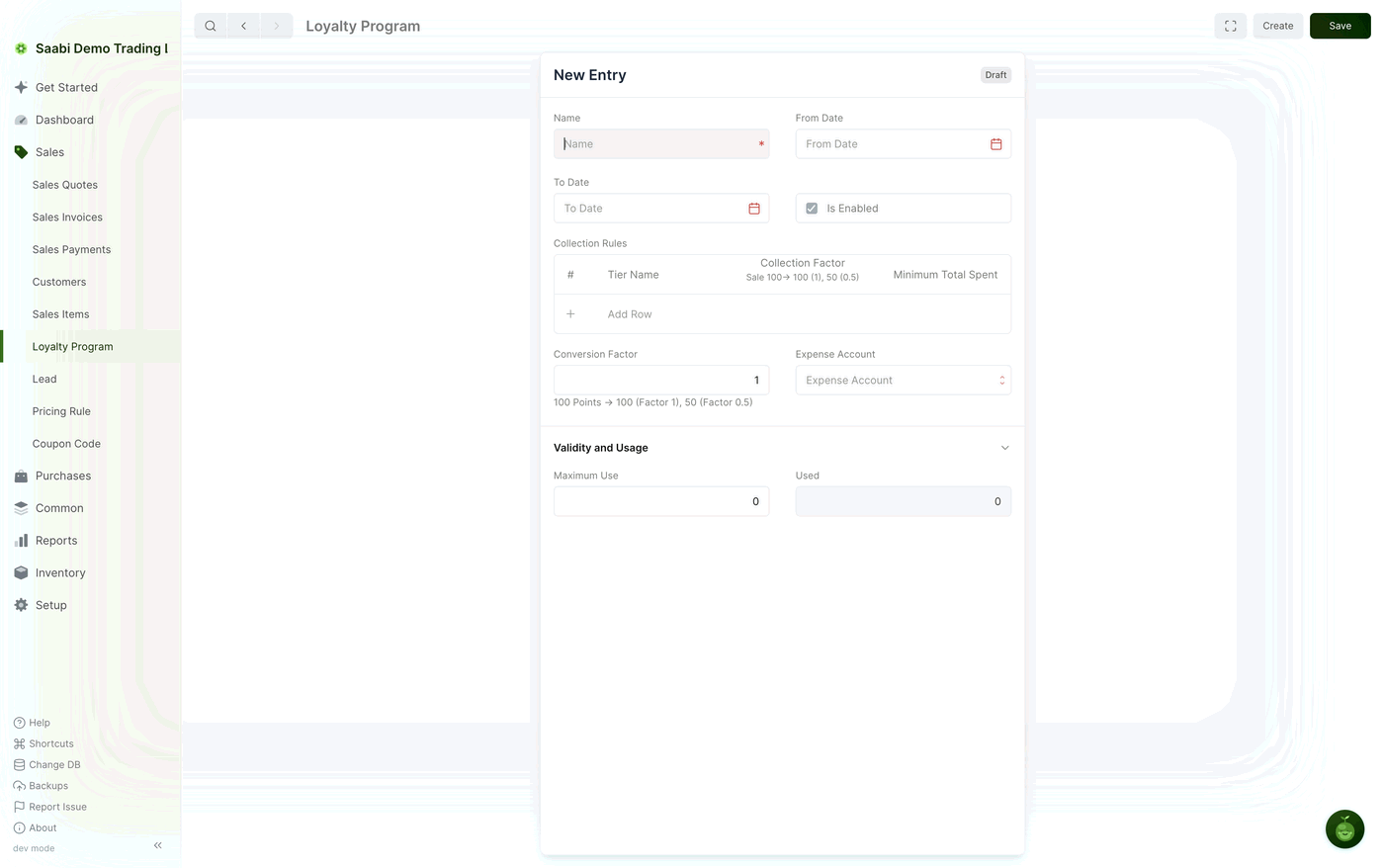
Sales > Loyalty Programand click +. - Enter a Name for the program. It has to be unique.
- Set From Date and To Date to the period the program runs for.
- Leave Is Enabled ticked to make the program active.
- Add at least one row to Collection Rules, which sets the rate at which points are earned.
- Set the Conversion Factor, which sets what a point is worth when it is spent.
- Choose an Expense Account to carry the cost of the rewards.
- Click Save.
Collection rules
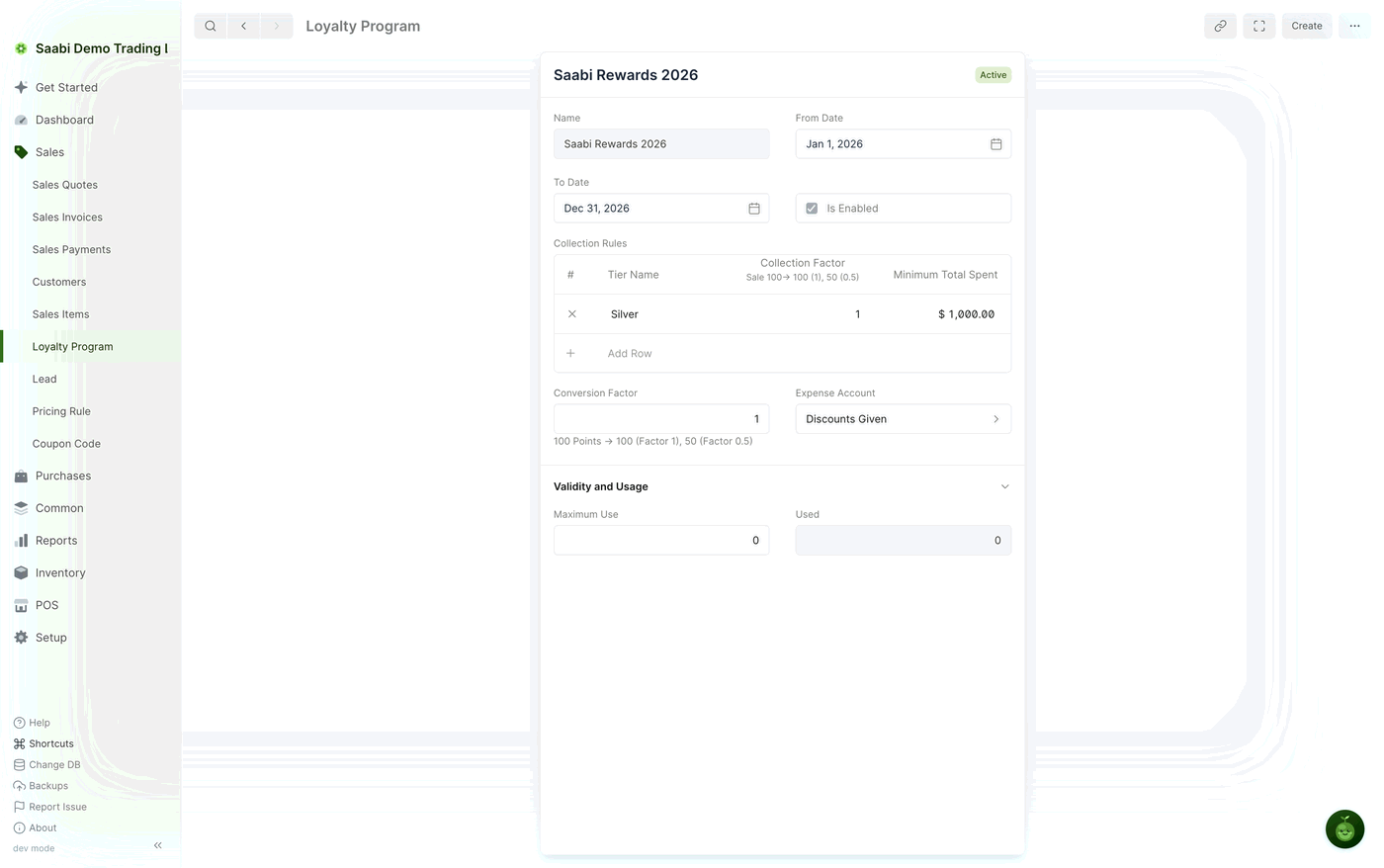
Collection Rules is a grid, one row per tier, with three columns:
- Tier Name — a label for the level, so you can tell your tiers apart.
- Collection Factor — how much a customer must spend to earn one point. A factor of
300earns one point for every$300spent. - Minimum Total Spent — the spend that qualifies a customer for this tier. Below it, the tier does not apply.
With one tier set to a collection factor of 300 and a minimum total spent of $2,000, an invoice of $3,000 qualifies and earns ten points. An invoice of $1,500 earns none, because it falls under the minimum.
Add further rows for further tiers when you want bigger spenders to earn faster — a second tier with a lower collection factor and a higher minimum total spent does exactly that.
Conversion factor, expense account and usage
- Conversion Factor — what one point is worth when it is redeemed. At a factor of
1, 100 points are worth$100; at0.5, 100 points are worth$50. - Expense Account — the account the cost of the rewards is booked to, so what the program costs you can be read separately from your other expenses.
- Maximum Use — a cap on the number of times the program may be applied. Leave it at
0for no cap. - Used — how many times it has been applied so far. SAABI maintains this figure; you do not edit it.
Putting a customer on the program
Open the customer at Sales > Customers and set Loyalty Program in the Loyalty Program section of their record. Only customers with a program set earn points.
The Loyalty Points field on the same record shows the balance they currently hold. It is maintained by SAABI and is the figure to check when a customer asks what they have accrued.
Earning points
Points are awarded when an invoice is submitted, not when it is saved and not when it is paid. SAABI takes the invoice's grand total, checks it against the tier's Minimum Total Spent, divides by the Collection Factor, and adds the resulting points to the customer's balance. Each award is logged against the invoice that produced it, so a balance can always be traced back to the sales behind it.
Redeeming points
When you invoice a customer who holds points, you can put those points towards the bill. The value redeemed is the number of points multiplied by the Conversion Factor; it reduces what the customer has to pay, and the customer settles the remainder in the usual way. The points redeemed come off their balance, and the cost is booked to the program's Expense Account.
Note
A loyalty program cannot be switched off again once it has been enabled in Settings. You can, however, clear Is Enabled on the program itself to stop it awarding points, or set its To Date to close it at a fixed date.
Saabi Desktop User Manual 1.0 · covers Desktop 1.0.0 · Something wrong or missing? Tell us