
Chapter 49 · The SAABI assistant · 2 min read
Finding and opening records with the assistant
On this page
Alongside answering questions, the assistant works as a way of getting around. Rather than expanding a sidebar group and scanning a list, you can describe what you want and let the assistant put it in front of you.
Asking to be taken somewhere
Ask in plain words:
Take me to the sales invoices listOpen the profit and loss reportShow me what Falcon Contracting owes
The assistant answers with the matching records, newest first, as a table of links.
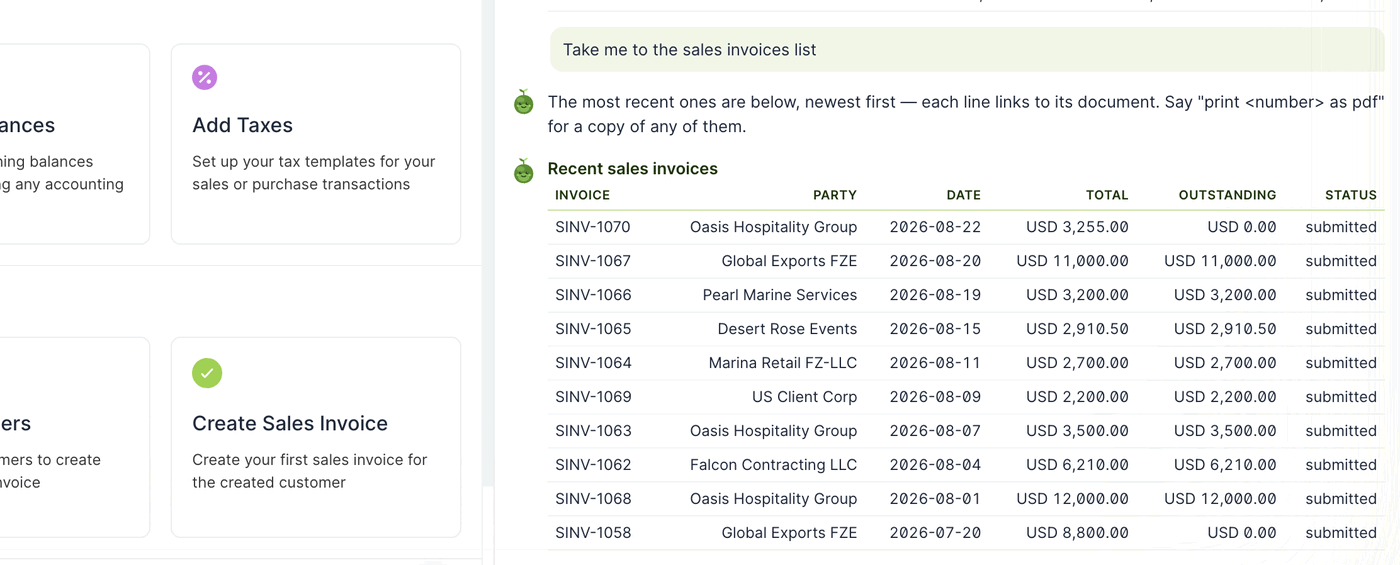
Every line in the table is a link to the document itself, so you can go straight from the answer to the record without hunting for it. The assistant also reminds you that you can ask for a PDF of any line by number.
Narrowing down
Because the assistant reads the whole ledger, you can filter in the question rather than in the list view:
Which invoices are more than 60 days overdue?Show me everything we bought from Gulf Print House this yearWhat did we invoice Oasis Hospitality Group in July?
This is often faster than setting filters by hand, particularly when the condition spans more than one field.
When to use the assistant and when to use Quick Search
The two tools overlap, and each is better at something:
| Use | When |
|---|---|
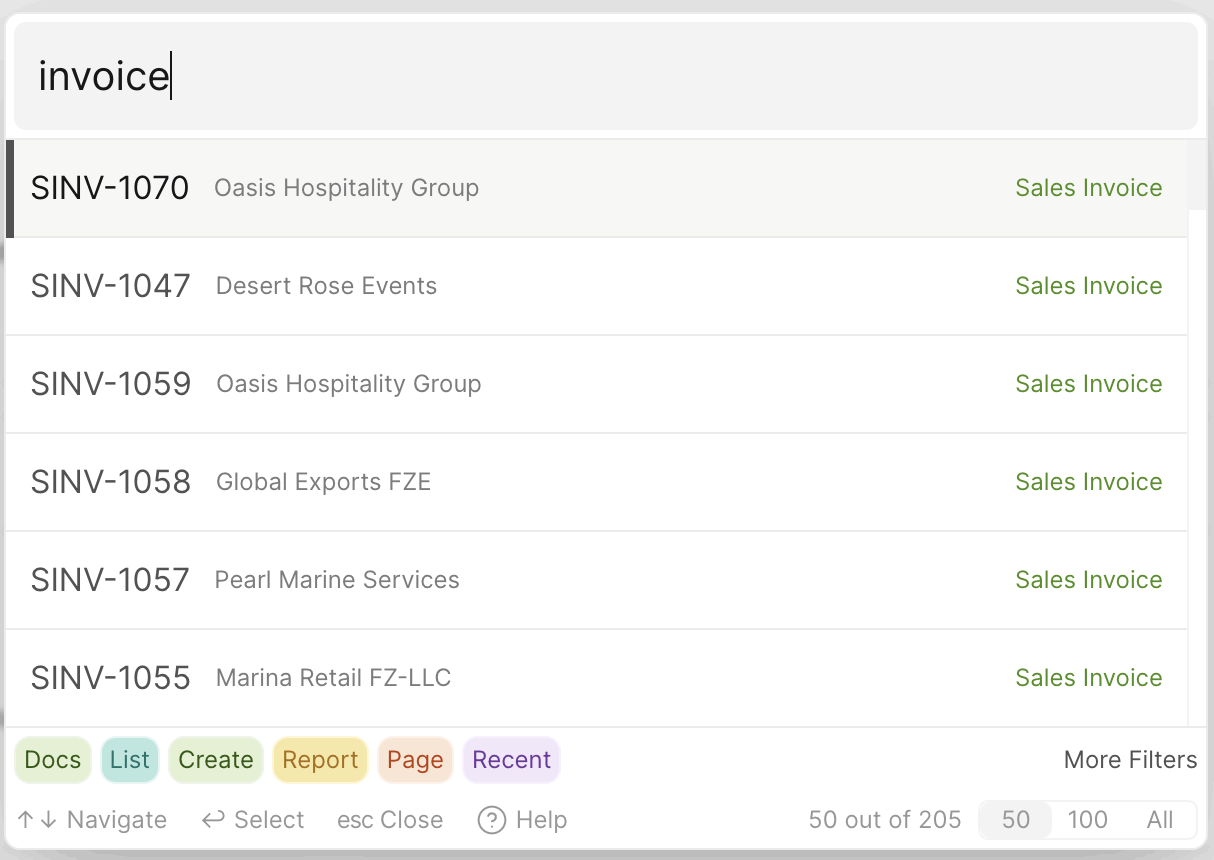
| Quick Search (Cmd/Ctrl + K) | You know the record's number or name and want it in one keystroke |
| The assistant | You know what you are looking for but not which record it is, or the answer needs a calculation |
Quick Search is instant and works offline regardless of your Intelligence setting. The assistant takes a moment to think, and in exchange it can answer questions that no filter can express.
The assistant and your data
Wherever the assistant takes you, it is reading the same company file you have open. It has no separate copy of your books, it cannot see any other company file, and — whichever Intelligence option you have chosen — your figures are read locally and are not sent anywhere.
Note
If the assistant cannot find what you asked for, say so in the same conversation and add a detail: a date range, a party name or an amount. It keeps the thread of the conversation and will narrow the search rather than starting again.
Saabi Desktop User Manual 1.0 · covers Desktop 1.0.0 · Something wrong or missing? Tell us